No products in the cart.

Can You Print Round Stickers on a Normal Printer?
Popular Products..
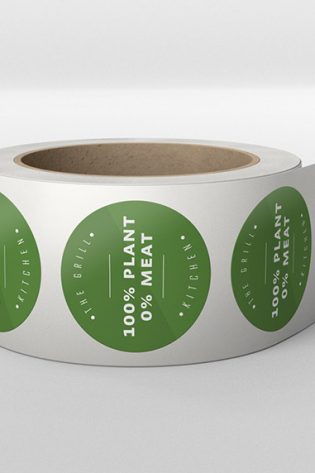
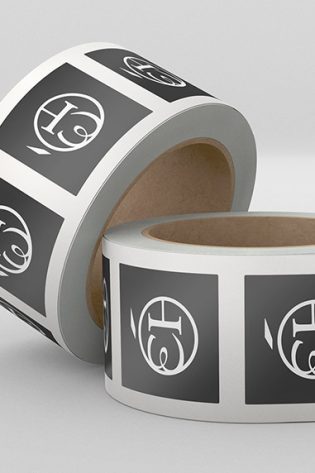
The short answer is yes: you can print round stickers on a normal home or office printer. With a pack of pre-cut sticker sheets, a free template and a few minutes of fiddling, you can have a sheet of circular labels in your hands today. For a one-off batch of a dozen stickers, that’s often all you need.
But “can you” and “should you” aren’t the same question. If you’re a marketer or brand producing stickers for packaging, events, product seals or campaigns, home printing quietly stops making sense somewhere north of a few hundred units, and the reasons go well beyond the price of a sheet of paper. This guide walks through how to do it yourself, where the method falls down, and when it’s worth handing the job to a professional printer instead.
How to print round stickers on a normal printer
You don’t need specialist kit. Here’s the process at a glance:
1. Buy pre-cut round label sheets
This is the part that makes round stickers possible at home. You can’t realistically cut neat circles yourself, so you buy A4 sheets where the circles are already die-cut, then you just print over them and peel. They come in a range of finishes (matte, gloss, clear, weatherproof) for both inkjet and laser printers, so check the pack matches your machine.
2. Grab the matching template
Most sticker-sheet brands publish a free template (often a Word or PDF layout) for each sheet size and circle count. Drop your design into the template so each graphic lines up with a pre-cut circle.
3. Set up your print
Choose the correct paper type in your printer settings, turn off any “fit to page” or auto-scaling (this is the number-one cause of misalignment), and print a single test sheet on plain paper first. Hold it against the label sheet to check the circles line up before you commit.
4. Print, dry and peel
Print your real sheet, let inkjet output dry fully so it doesn’t smudge, then peel and apply.
For a small run, that’s genuinely it. The trouble starts when you scale up.
What about printing then cutting with a Cricut?
The other popular DIY route skips pre-cut sheets entirely: you print your design onto a full sheet of sticker paper on a normal printer, then use a cutting machine like a Cricut (or Silhouette) to cut each circle out. Cricut’s “Print Then Cut” feature reads registration marks on your printout and cuts around your shapes automatically, so in theory you get clean circles in any size you like, with full control over your design.
In practice, it runs into two familiar catches. The first is alignment. The machine relies on its sensor reading those registration marks accurately, and if the printout is slightly off, the lighting in the room isn’t ideal, or the paper shifts on the mat, the cut lands a millimetre or two away from your artwork. On a circle, that drift is glaringly obvious. You’ll often feed a few sheets through before the registration behaves itself. The second is time. Print Then Cut is fine for a sheet or two, but the print-load-scan-cut cycle has to repeat for every sheet, and you weed the cuts by hand afterwards. Producing hundreds or thousands of stickers this way turns into a long, hands-on afternoon, or several, feeding sheets in one at a time.
It’s a brilliant option for makers and small creative runs where you want bespoke shapes. But for brand-scale volumes it hits the same wall as pre-cut sheets: it doesn’t scale on time, and perfect consistency across a big batch is hard to guarantee.
Where home printing falls down
The method works. It’s just fiddly, inconsistent, and surprisingly expensive once volumes climb. A few honest drawbacks:
It’s messy and finicky
Inkjet stickers smudge if handled before they’re dry. A printer that’s even slightly out of calibration shifts your design off-centre inside the circle, and on a round sticker even a 1mm drift is obvious. You’ll usually lose a few sheets to misfires before you get a clean run.
Alignment is a constant battle
Every time you reload, change a setting or switch sheet brands, you risk the design creeping out of position. What looked perfect on the test sheet can drift by sheet ten.
The quality ceiling is low
Standard sticker paper is typically lightweight uncoated stock. It’s fine for a quick label, but it rarely has the finish, durability or “premium” feel a brand wants on a product or in a customer’s hands.
Storage is awkward
Flat sheets bend, corners curl, and a half-used pack sitting in a drawer picks up scuffs and moisture. By the time you come back to it, some of those stickers are no longer usable.
It doesn’t scale on cost or time
This is the big one for brands.
A quick cost reality check
Home printing feels free because you already own the printer. But the real cost is sheets plus ink plus wasted misprints plus your time, and it climbs fast.
The figures below are rough UK estimates to illustrate the shape of the problem, not fixed prices. Your actual costs depend on your printer, ink and the sheets you buy:
- Pre-cut round label sheets: roughly £0.20 to £0.50 per A4 sheet when bought in packs.
- Ink: a sheet with heavy colour coverage can burn through £0.10 to £0.30 or more of ink, and more again on premium OEM cartridges.
- Waste: budget for a handful of ruined sheets per run from smudges, jams and misalignment.
- Your time: designing, aligning, test-printing, peeling and re-running, easily an afternoon for a decent batch.
Now multiply that across hundreds or thousands of stickers, with several reloads and re-calibrations along the way, and the “free” option becomes one of your more expensive, and least consistent, production methods. For anything beyond a small run, a professional print job is usually cheaper and better.
Home printing vs Thinktop Print rolls
| Home printing (pre-cut sheets) | Round stickers on rolls from Thinktop Print | |
|---|---|---|
| Best for | One-off batches, a few dozen stickers | Hundreds to thousands, ongoing brand use |
| Cost at volume | Climbs steeply with ink and waste | Far more cost-effective per sticker |
| Consistency | Variable; alignment drifts | Uniform across the whole run |
| Finish and quality | Lightweight uncoated stock | Higher-quality stock, professional finish |
| Smudging | Common with inkjet before drying | None |
| Alignment | Manual, error-prone | Perfectly positioned every time |
| Storage | Sheets bend, curl and scuff | Rolls store neatly and stay protected |
| Application | Peel one sticker at a time | Quick to peel and apply in sequence |
| Materials | Limited to what’s in the pack | Paper as standard, plus vinyl, polypropylene, clear and metallic on request |
| Your time | An afternoon of fiddling | Designed, printed and delivered for you |
Why rolls work better for brands
If you’ve decided home printing isn’t worth the hassle, round stickers on rolls solve almost every problem above in one go:
- They store far more easily. A roll takes up a fraction of the space of stacked sheets and keeps your stickers organised and ready to use.
- They don’t get damaged. Wound onto a roll, your stickers are protected from the bending, curling and scuffing that flat sheets suffer in a drawer.
- The paper quality is better. Professionally printed stock looks and feels more premium than standard home sticker paper, which is exactly what you want representing your brand.
- No smudges or ink issues. Because they’re properly printed and finished, there’s none of the drying, smearing or fingerprint trouble you get with inkjet output.
In other words, rolls give you the consistency, durability and presentation a brand needs, without you having to babysit a printer. If you’d like to see how this plays out for real-world brands, our guide to custom labels on rolls with your logo walks through it in more detail.
What you get with Thinktop Print
Beyond the rolls themselves, the service is built to make life easier for busy marketers and brand owners:
- 4 to 5 working days turnaround, so you can plan campaigns and product launches with confidence.
- Free design service. Send us your idea and we’ll help get the artwork right.
- Free delivery on your order.
- Flat sheets or rolls, whichever suits how you store and apply your stickers.
- Plenty of material options. Paper is our standard online, and if you need something more durable or eye-catching, just get in touch about vinyl, polypropylene, clear and metallic finishes.
Not sure which material or label type suits your product? Our guide to custom-printed personalised labels breaks down the options so you can pick the right one with confidence.
The bottom line
Can you print round stickers on a normal printer? Absolutely, and for a quick handful, go for it. But once you’re producing for a brand, the mess, the inconsistency, the storage hassle and the rising cost of ink and waste make it a false economy. For anything beyond a few hundred stickers, professional printing is cheaper, cleaner and far more polished.
If that sounds like your situation, it’s worth taking a look at our round stickers on rolls to see what an easier, better-quality option looks like.
Frequently asked questions
Can you print round stickers on a regular inkjet or laser printer?
Yes. As long as you use pre-cut round label sheets designed for your printer type, both inkjet and laser printers can print round stickers. Just check the sheet pack matches your machine before you buy.
What paper do you need to print round stickers at home?
You need pre-cut, self-adhesive A4 label sheets with the circles already die-cut into them, because cutting neat circles by hand isn’t realistic. They come in finishes like matte, gloss, clear and weatherproof, so pick one rated for your printer.
Will home-printed stickers be waterproof?
Only if you use a waterproof or weatherproof sheet, and even then inkjet ink can run unless it’s sealed. For reliably water-resistant results, professionally printed vinyl or polypropylene stickers are a safer bet.
Why do my round stickers keep printing off-centre?
The usual culprits are auto-scaling (“fit to page”) being left on, a slightly mis-calibrated printer, or the sheet shifting as it feeds. Turn off scaling, run a test print on plain paper, and check alignment before printing your real sheets.
Is it cheaper to print round stickers at home or order them?
For a small one-off batch, home printing is cheaper. Once you factor in sheet costs, ink, wasted misprints and your time across hundreds or thousands of stickers, ordering them professionally usually works out cheaper per sticker, and far more consistent.
At what quantity should I stop printing at home and order instead?
There’s no hard rule, but home printing tends to stop being worth the hassle and cost somewhere beyond a few hundred stickers. Above that, professional printing on rolls is generally faster, cheaper per unit and more reliable.
Can you get round stickers on a roll instead of sheets?
Yes. Round stickers on rolls are easier to store, better protected from damage, and quick to apply in sequence, which makes them ideal for brands producing at volume.

Share on facebook
Share on twitter
Share on linkedin
